

Enterprise Solution Document for Log Optimization & Long-Term Archival on Azure Kubernetes Services (AKS)
(Datadog Logs + Azure Blob Integration)
1. Purpose
This SOP defines a scalable, secure, and cost-optimized logging architecture for workloads running on Azure Kubernetes Service (AKS).
- Datadog for real-time monitoring
- Azure Blob for long-term retention
- Index optimization for cost reduction
2. Phase 1 – Log Ingestion Optimization
2.1 Critical Logs Index
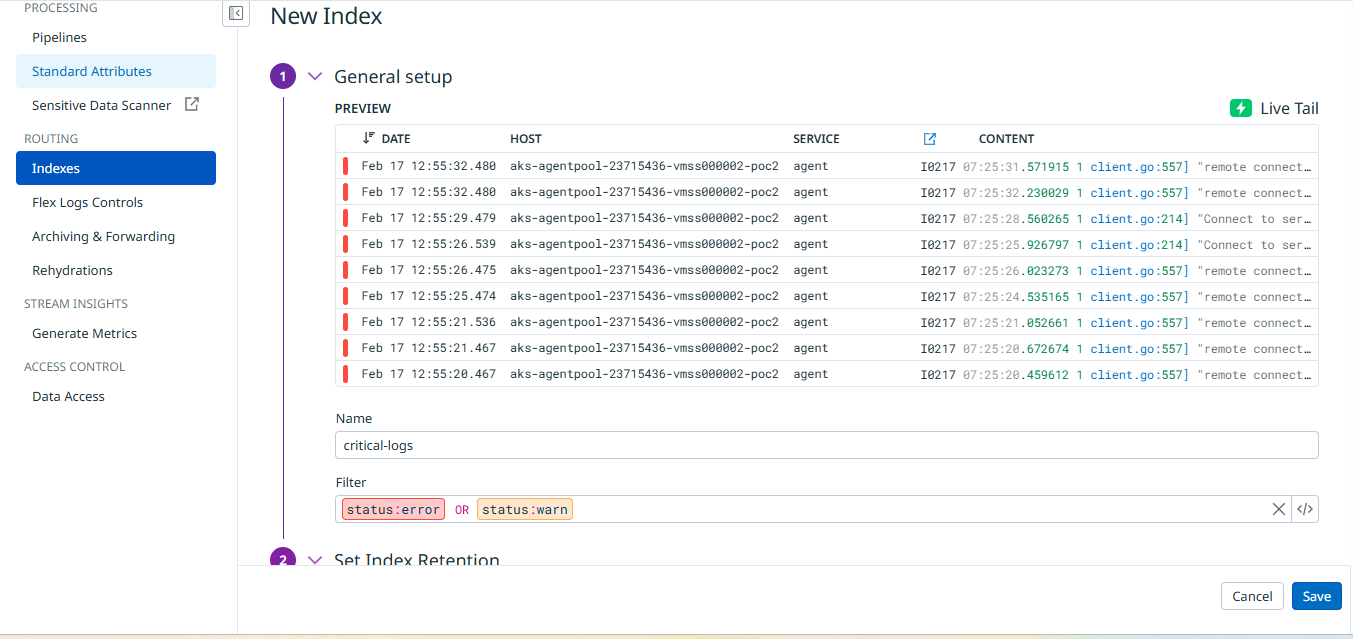
- Index Name: critical-logs
- Filter: status:error OR status:warn
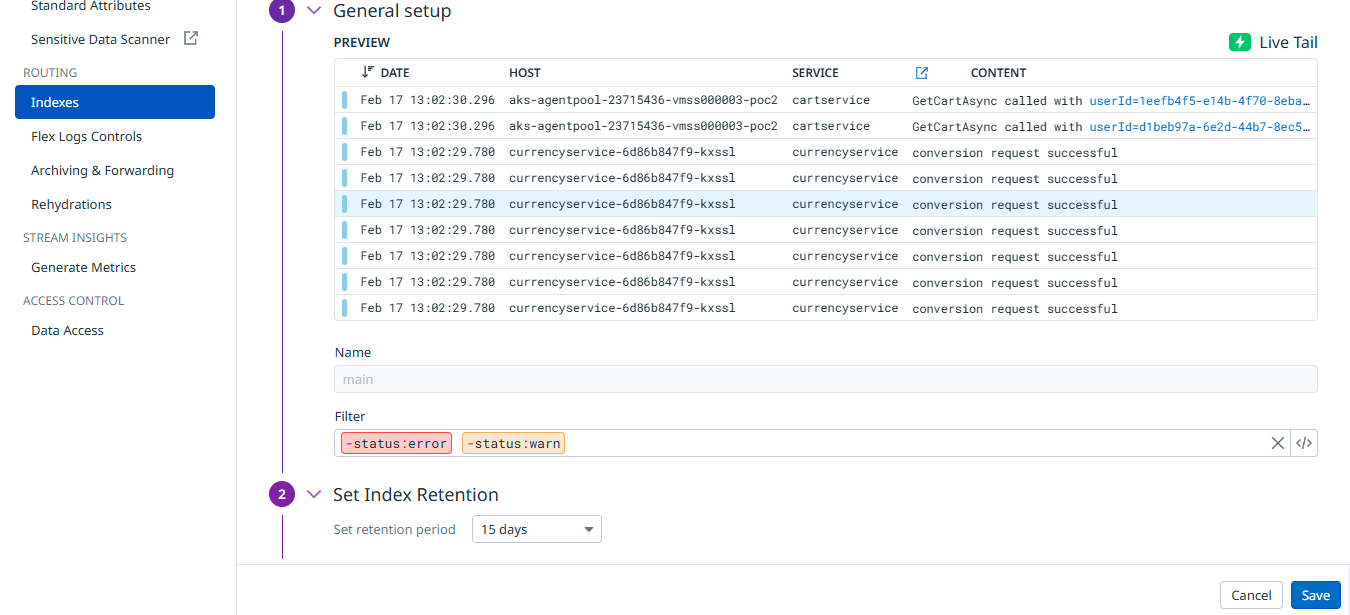
- Retention: 15 days
2.2 Main Index Filter
- Filter: -status:error -status:warn
2.3 Exclusion Policies
| Log Type | Policy |
|---|---|
| status:debug | 100% excluded |
| status:info | 80% excluded |
3. Phase 2 – Azure Blob Long-Term Archival
3.1 Create Azure Storage Account
- Name: akslogsarchive
- Region: Same as AKS cluster
- Performance: Standard
- Redundancy: LRS
- Secure Transfer Required: Enabled
3.2 Create Blob Container
- Name: datadog-logs-archive
- Access Level: Private
3.3 Create Azure AD Service Principal
az login
az ad sp create-for-rbac --name datadog-archive-sp
Save securely:
- Client ID
- Client Secret
- Tenant ID
3.4 Assign RBAC Role
az role assignment create \
  --assignee <APP_ID> \
  --role "Storage Blob Data Contributor" \
  --scope $(az storage account show \
      --name akslogsarchive \
      --resource-group <RESOURCE_GROUP> \
      --query id -o tsv)
Role Assigned:
Storage Blob Data Contributor
3.5 Configure Archive in Datadog
Navigate:
Logs → Configuration → Archiving & Forwarding → Add Archive
Configure:
- Archive Name: azure-blob-archive
- Destination: Azure Storage
- Authentication: Azure AD
- Tenant ID
- Client ID
- Client Secret
- Storage Account: akslogsarchive
- Container: datadog-logs-archive
Ensure status shows:
ACTIVE
4. Lifecycle Policy (Cost Optimization)
| Condition | Action |
|---|---|
| Older than 30 days | Move to Cool tier |
| Older than 180 days | Move to Archive tier |
| Older than 365 days | Delete (Optional) |
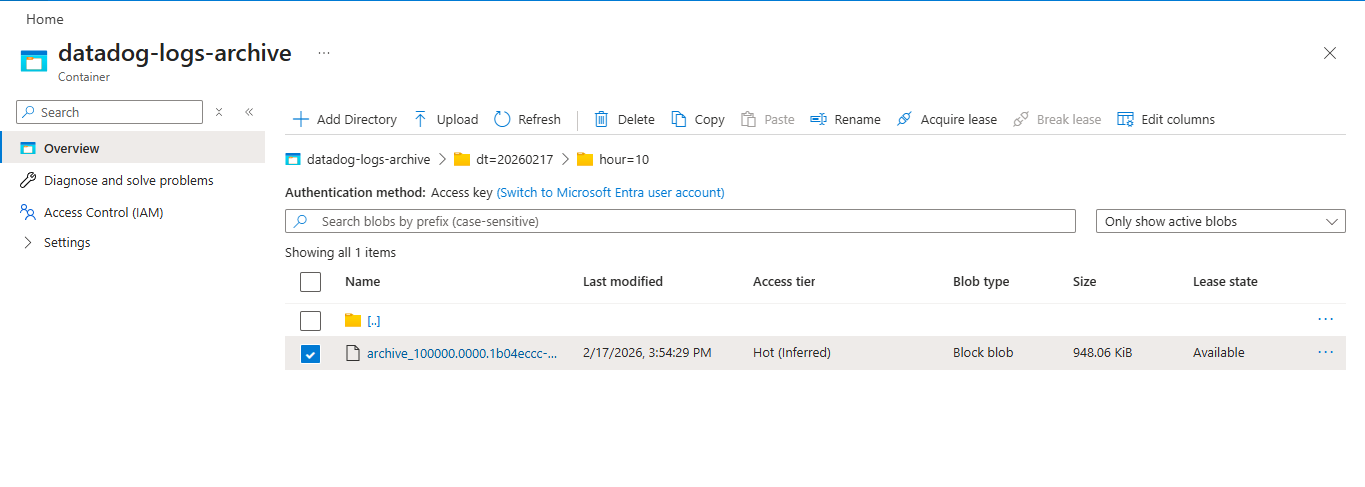
5. Validation
- Archive Status = Active
- .json.gz files visible in Azure
- No archive errors in Datadog
6. Security Controls
| Layer | Control |
|---|---|
| Storage | Private container |
| Authentication | Azure AD Service Principal |
| Access | RBAC (Least Privilege) |
| Transport | HTTPS enforced |
7. Rollback Procedure
- Disable archive in Datadog
- Remove Azure AD credentials
- Confirm ingestion remains operational
8. Outcomes Achieved
- 70–80% reduction in indexed log ingestion volume, achieved through index separation and exclusion policies, lowering overall Datadog logging costs.
- 100% retention of critical logs (error & warn), ensuring uninterrupted monitoring, alert accuracy, and incident response reliability.
- Effective log segregation by configuring dedicated critical and main indexes directly within Datadog.
- Cost-efficient long-term archival implemented using Azure Blob Storage with manual configuration and lifecycle tiering (Hot → Cool → Archive).
- Secure authentication setup using Azure AD Service Principal with properly assigned RBAC roles.
- Controlled access management through least-privilege role assignments and private storage container configuration.
- Operational visibility and validation through manual archive status verification and ingestion monitoring.
- Enterprise-ready logging architecture supporting scalability and compliance requirements without automation dependencies.
Contact
Patrick Schmidt — patrick@airowire.com
Piyush Choudhary — piyush@airowire.com
Dr. Shivanand Poojara — shivanand@airowire.com