

Datadog Agent & Data Streams Monitoring (DSM) Installation using Ansible
(Datadog Agent v7 + APM + DSM on Linux Servers)
1. Purpose
This SOP defines a standard, automated, and repeatable process to install and configure the Datadog Agent with Data Streams Monitoring (DSM) across multiple Linux servers using Ansible automation.
This enables:
- End-to-end visibility of message flows
- Queue and stream latency analysis
- Producer → Broker → Consumer pathway tracking
- Faster root cause analysis in distributed systems
2. Scope
In Scope:
- Installation of Datadog Agent v7
- Enablement of APM, SSI, and DSM
- Ansible automation
- Linux virtual machines
- Application-level instrumentation
Out of Scope:
- Datadog account creation
- Firewall/network setup
- Broker installation (RabbitMQ/Kafka)
- Custom dashboards & alerts
3. Target Audience
- DevOps Engineers
- SRE Teams
- Platform Engineers
- Messaging / Middleware Teams
4. Assumptions & Prerequisites
Infrastructure:
- Linux OS (Ubuntu / RHEL / Debian)
- SSH access from Ansible control node
- Internet access to Datadog endpoints
Tools:
- Ansible ≥ 2.14
- Python ≥ 3.9 on target hosts
- Git (optional)
Datadog:
- Valid Datadog API key
- DSM enabled in Datadog account
5. Roles & Responsibilities
| Role | Responsibility |
|---|---|
| DevOps | Execute Ansible playbooks |
| Platform | Maintain inventory & vars |
| Application | Instrument producers & consumers |
| SRE | Validate DSM in Datadog |
6. High-Level Architecture
Ansible Control Node
↓ SSH
Linux VMs
↓
Datadog Agent (APM + DSM)
↓
Datadog Platform
7. File & Directory Structure
datadog-dsm-ansible/
├── inventory
├── datadog.yml
├── requirements.yml
├── group_vars/
│   └── datadog_hosts.yml
└── README.md
Why this structure:
Adheres to Ansible best practices, separates inventory, variables, and playbooks for clarity and maintainability.
8. Repository Reference
The full implementation for this SOP, including inventory, playbooks, and variable files, is available in the official repository:
Clone Repository:
git clone https://github.com/airowireNetworks/Datadog-Agent-Data-Streams-Monitoring-DSM-Installation-using-Ansible.git
cd Datadog-Agent-Data-Streams-Monitoring-DSM-Installation-using-Ansible
Repository Includes:
- Ansible inventory and playbooks
group_varswith DSM configurationrequirements.ymlfor Datadog role- README with usage examples
This repository serves as the living implementation of this SOP and should be referenced for updates and environment-specific configurations.
9. File-Level Explanation
9.1 inventory
[datadog_hosts]
host1 ansible_host=10.0.0.4 ansible_user=as
host2 ansible_host=10.0.0.5 ansible_user=as
host3 ansible_host=10.0.0.6 ansible_user=as
Why it’s used:
Defines the target servers to which Ansible should apply the DSM configuration, grouping them under datadog_hosts for role application.
9.2 requirements.yml
Why it’s used:
This ensures the official Datadog Ansible role — which includes DSM support — is downloaded and version-locked, preventing breaking changes.
Install the role:
This command pulls the required role into Ansible’s roles path.
9.3 group_vars/datadog_hosts.yml
datadog_api_key: "{{ lookup('env', 'DD_API_KEY') }}"
datadog_site: "datadoghq.com"
datadog_agent_major_version: 7
Why:
Centralizes configuration and avoids hardcoding secrets. API key is pulled from environment.
Why:
Enables APM and auto-instrumentation, which is required by DSM for trace correlations.
datadog_apm_instrumentation_libraries:
  - "python:4"
  - "java:1"
  - "js:5"
  - "php:1"
  - "dotnet:3"
  - "ruby:2"
Why:
Selects supported language libraries for automatic instrumentation.
Why:
Explicitly enables Data Streams Monitoring on each host.
9.4 datadog.yml (Main Playbook)
---
- name: Install Datadog Agent with DSM
  hosts: datadog_hosts
  become: true
  gather_facts: true

  roles:
    - datadog.datadog
Why it’s used:
This playbook applies the Datadog role to all hosts in the inventory, performing installation and configuration in a repeatable and idempotent manner.
10. Execution Steps
Why:
Loads API key into environment securely for use by Ansible.
Why:
Runs the playbook against all hosts defined in inventory.
11. Post-Installation Validation
Why:
Verifies Agent is running, API key is valid, APM & DSM are enabled, and trace agent ports are active.
12. Application Instrumentation
Why this is required:
DSM tracks logical application pathways — without producer & consumer instrumentation, correlation graphs cannot be created.
Producer:
- Creates DSM checkpoint
- Injects
x-datadog-pathwayheader
Consumer:
- Extracts pathway header
- Creates downstream checkpoint
13. Restart Applications
Why:
Auto-instrumentation hooks attach at start, enabling DSM capture.
14. Rabbitmq UI Validation
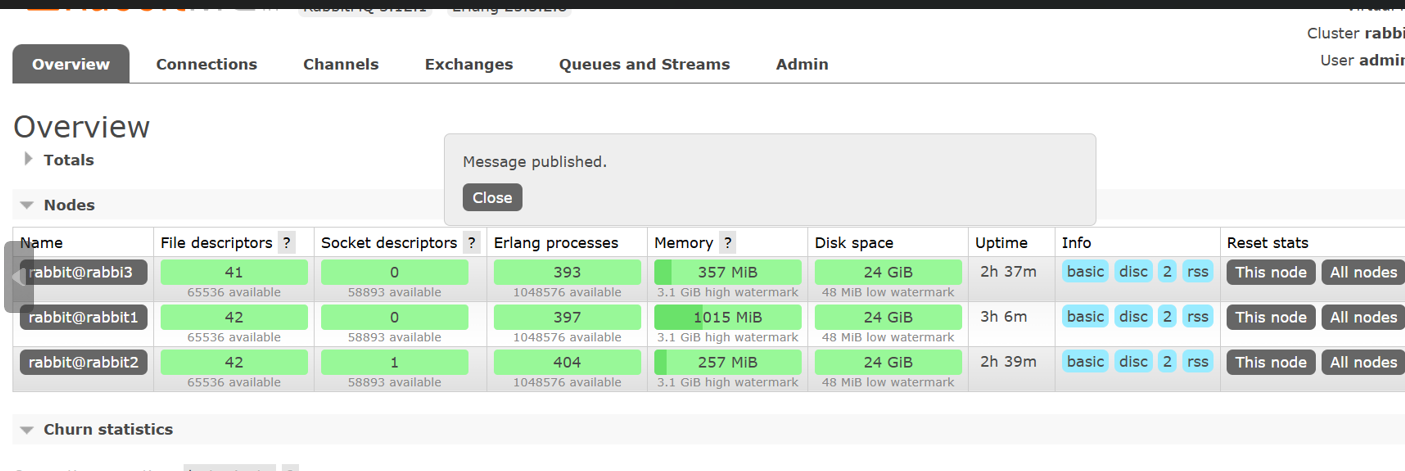
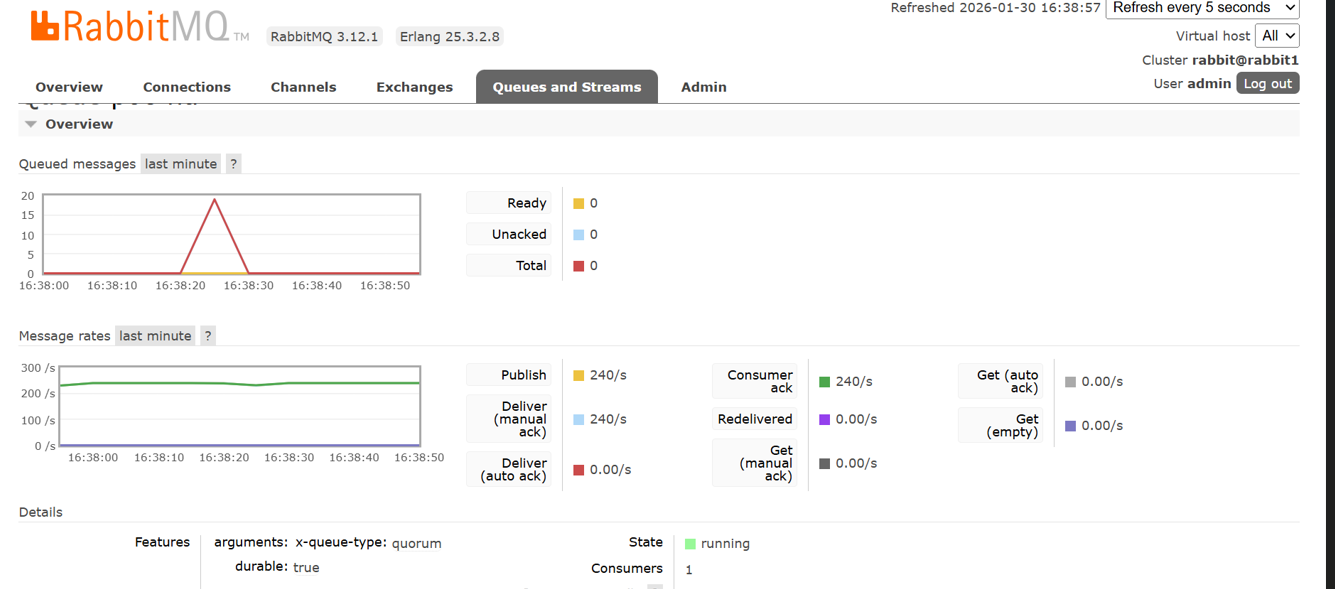
15. Datadog UI Validation
Navigate to:
Datadog → APM → Data Streams Monitoring
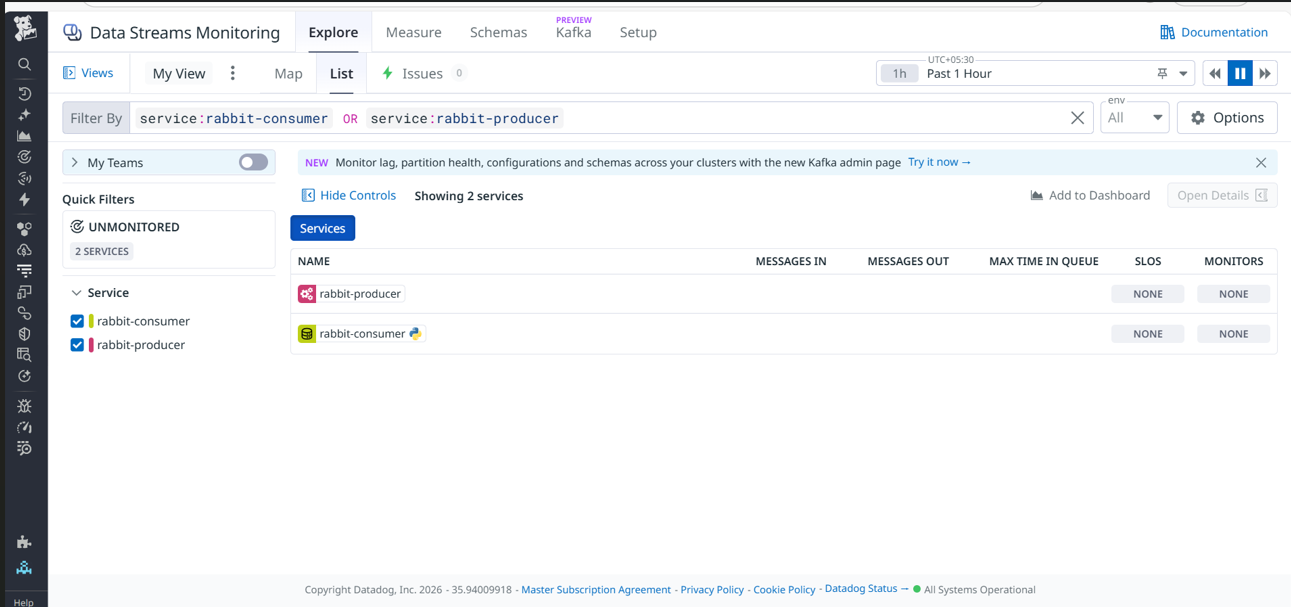
Expected:
- Producer visible
- Consumer visible
- Pathway graph
Note:
Message counts may not show; DSM emphasizes flow & latency.
16. Security & Best Practices
- Use Ansible Vault for API keys
- Avoid hardcoding secrets
- Restrict outbound traffic
- Combine DSM with broker metrics
17. Limitations
- DSM does not replace broker metrics
- Message count visibility varies by integration
18. Conclusion
This SOP provides:
- Automated, repeatable Datadog Agent deployment
- Reliable DSM enablement
- Minimal operational overhead