

Solution Document for Enabling APM for Azure Kubernetes Services (AKS)
(Datadog APM via Terraform on AKS)
Purpose of the Document
This SOP defines the standardized process for deploying Datadog Application Performance Monitoring (APM) into Azure Kubernetes Service (AKS) using Terraform and Helm. The deployment introduces:
- Automatic APM instrumentation
- Request tracing + latency analysis
- Application dependency analysis
- Error/exception visibility
- Platform-driven enablement without code changes
APM deployment is platform-driven and does not require rebuilding or modifying application containers.
Scope
In Scope:
- Deployment to a single AKS cluster (POC or onboarding)
- Terraform-based deployment automation
- Platform-controlled APM enablement
Out of Scope:
- Distributed business transaction modeling
- OpenTelemetry pipelines
- Cost & commercial modeling
- Multi-cluster federation
Prerequisites
Access Requirements:
- Azure subscription access
- AKS RBAC (read/write)
- Datadog account access
Tooling Requirements:
- Terraform v1.x
- Helm provider
- kubectl (optional)
Networking Requirements:
Outbound access to Datadog ingestion endpoints for:
- APM
- Metadata
- Metrics (optional)
Overview of the Solution
Datadog APM runs via the Datadog Agent deployed on AKS nodes. Workloads send traces to the agent using auto-instrumentation or runtime injection.
Architecture of Logic
Workload → Datadog Agent → APM Ingestion → Analytics → Visualization
Functional Components
| Component | Role |
|---|---|
| Datadog Agent | Trace ingestion & instrumentation |
| Cluster Agent | Workload metadata aggregation |
| APM UI | Visualization & service mapping |
| Pipelines | Application dependency processing |
Repository Reference
Deployment artifacts and Terraform implementation are maintained in the following repository:
https://github.com/airowireNetworks/datadog-apm-azure.git
Clone Repository:
Repository Includes:
- Terraform deployment modules
- Helm values configuration
- tfvars examples
- APM enablement artifacts
Deployment Procedure
Deployment Environment
Deployment VM configured with:
- Terraform
- Azure CLI (optional)
- kubectl (optional)
- Helm provider (via Terraform)
Terraform Initialization
Deployment Variables
Example .tfvars:
aks_cluster_name   = "cluster name"
aks_resource_group = "resource-group-name"
datadog_api_key    = "xxxxxxxx"
env                = "dev"
Enable APM via Helm Values
This enables:
- automatic instrumentation support
- trace ingestion
- latency + error visibility
Execution of Deployment
Platform APM Capabilities
Once deployed, the platform supports:
- Service-level tracing
- Error monitoring
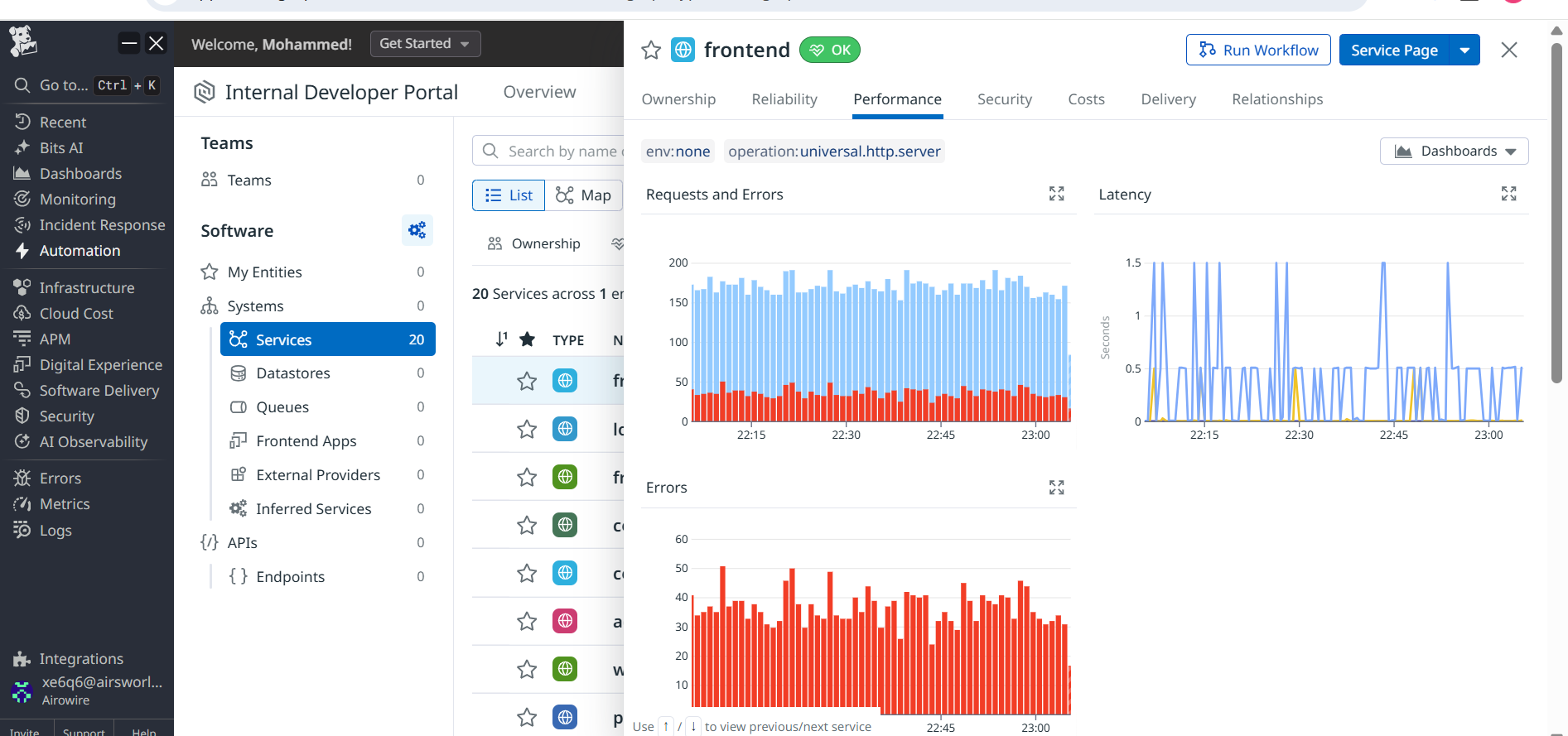
- Latency analysis
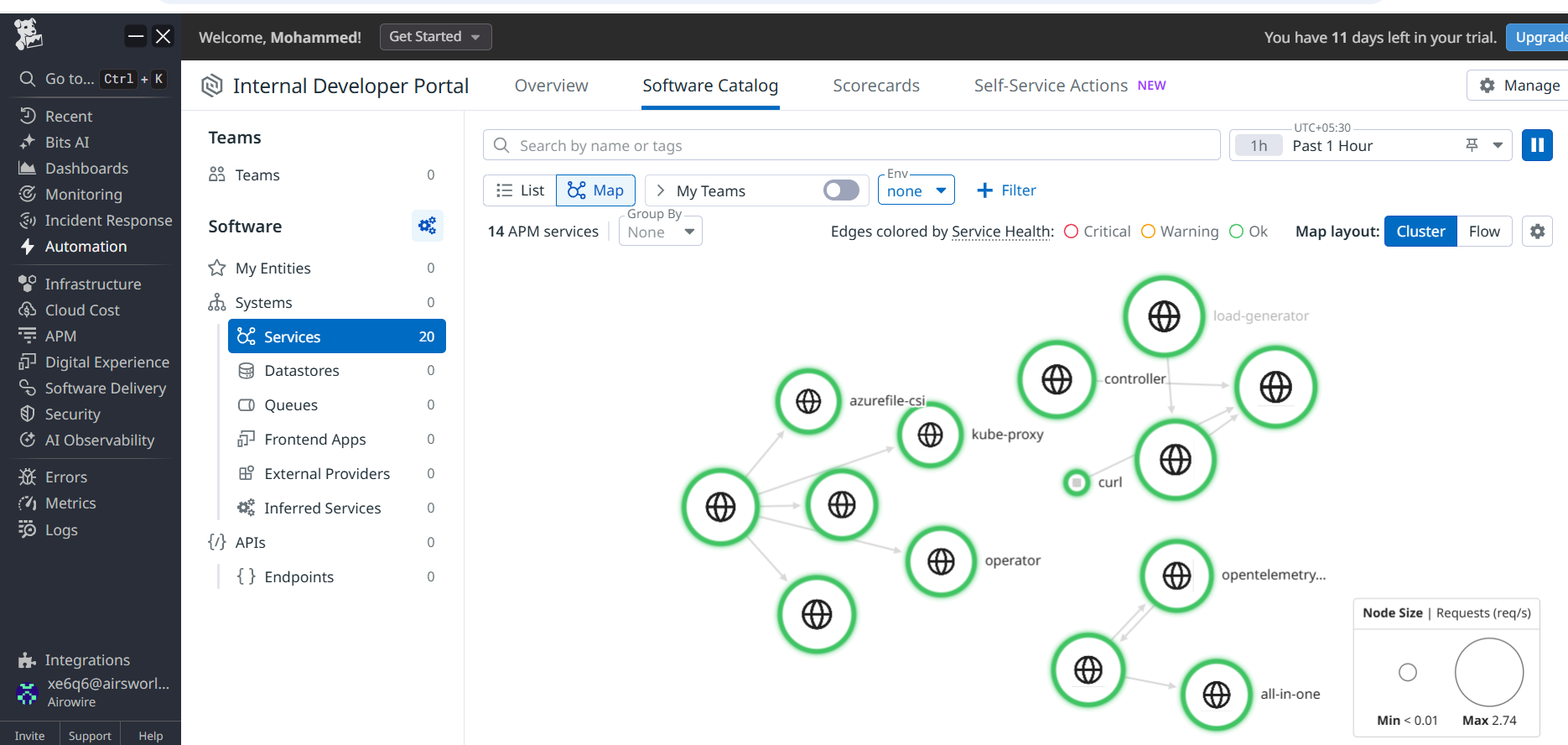
- Application dependency mapping
- Performance insights
Datadog-Side Validation
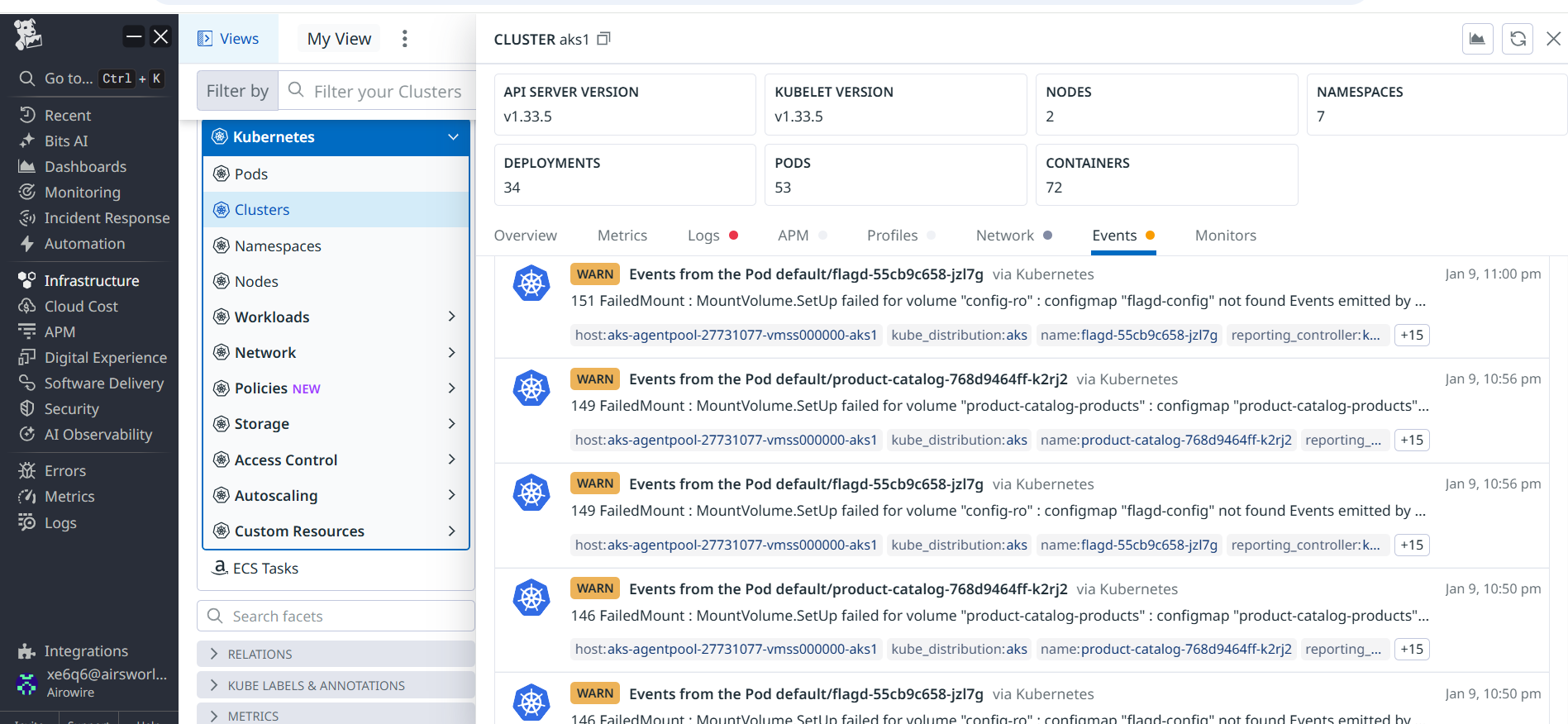
Validation performed by verifying:
- Traces visible in APM service catalog
- Application services discovered
- Error/latency analysis active
- Endpoint-level request visibility
Observations & Findings
Key operational findings:
- APM ingestion successful via IaC
- No code-level instrumentation required
- Application visibility improved
- Error/latency analysis enriched debugging
Optional Enhancements
Recommended enhancements:
- Distributed tracing correlation
- OpenTelemetry alignment
- Multi-cluster hybrid APM
- Custom span enrichment
Final Outcome
APM successfully integrated into Datadog via Terraform and Helm for AKS, enabling platform-driven service performance visibility with no application code changes.
Contact
For more information about this Document and its contents please contact Airowire Solutions:
Patrick Schmidt — patrick@airowire.com
Piyush Choudhary — piyush@airowire.com
Dr. Shivanand Poojara — shivanand@airowire.com