

Solution Document for AWS Cloud Cost Management (CCM)
(Datadog Cloud Cost Management via Terraform & CloudFormation on AWS)
Purpose of the Document
This SOP defines the standardized process to integrate AWS billing and usage data with Datadog Cloud Cost Management (CCM). The objective is to enable:
- AWS cost visibility and transparency
- Service-level and account-level cost allocation
- Cost trend analysis and forecasting
- Waste identification and optimization
- FinOps-aligned governance and reporting
Scope
In Scope:
- AWS payer (billing) account integration
- Datadog Cloud Cost Management (CCM)
- Terraform-based AWS integration
- AWS Cost & Usage Report (CUR)
- S3-based billing data ingestion
Out of Scope:
- Multi-cloud cost federation
- Chargeback automation tooling
- Custom FinOps dashboards
- Compliance and audit frameworks
Prerequisites
AWS Requirements:
- Active AWS Billing (Payer) Account
- AWS Admin / Tech Lead access
- Region: us-east-1 (N. Virginia)
Datadog Requirements:
- Datadog account with Cloud Cost Management enabled
- Datadog API Key
- Datadog Application Key
Tooling Requirements:
- Terraform v1.x
- AWS CLI (optional)
Overview of the Solution
Datadog Cloud Cost Management ingests AWS billing data via Cost & Usage Reports (CUR) delivered to S3. Terraform and CloudFormation are used to securely provision:
- IAM roles and permissions
- S3 bucket for CUR storage
- CUR report configuration
- Datadog ↔ AWS integration
Architecture of Logic
AWS Billing → CUR → S3 → Datadog CCM → Cost Analytics & Dashboards
Functional Components
| Component | Role |
|---|---|
| AWS Payer Account | Billing source |
| IAM Role | Secure Datadog access |
| Cost & Usage Report (CUR) | Detailed billing data |
| S3 Bucket | CUR storage |
| Datadog CCM | Cost analytics & optimization |
Deployment Procedure
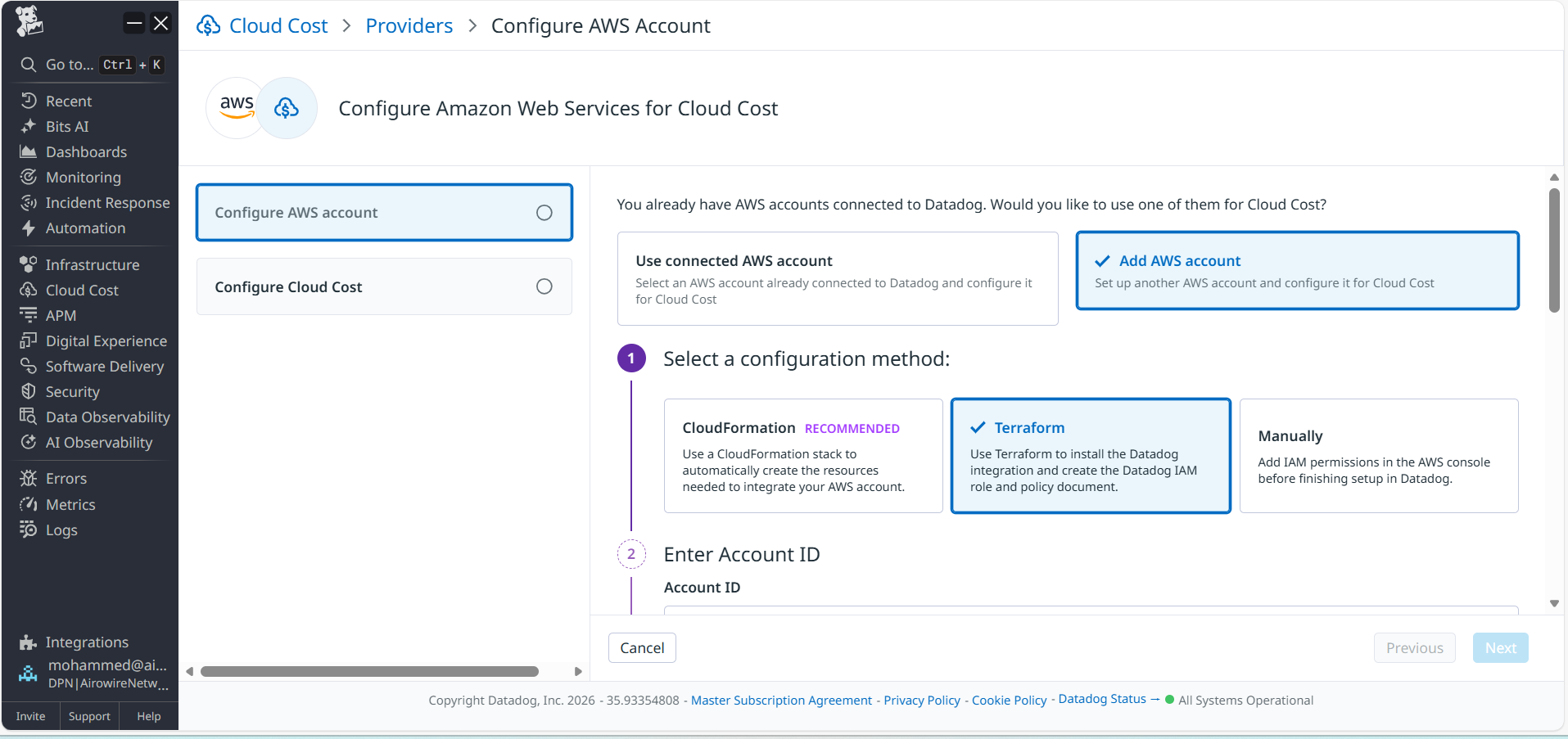
Step 1 — Configure AWS Integration in Datadog
Navigate to:
Datadog → Integrations → Amazon Web Services
Actions:
- Select Terraform option
- Enter AWS Account ID
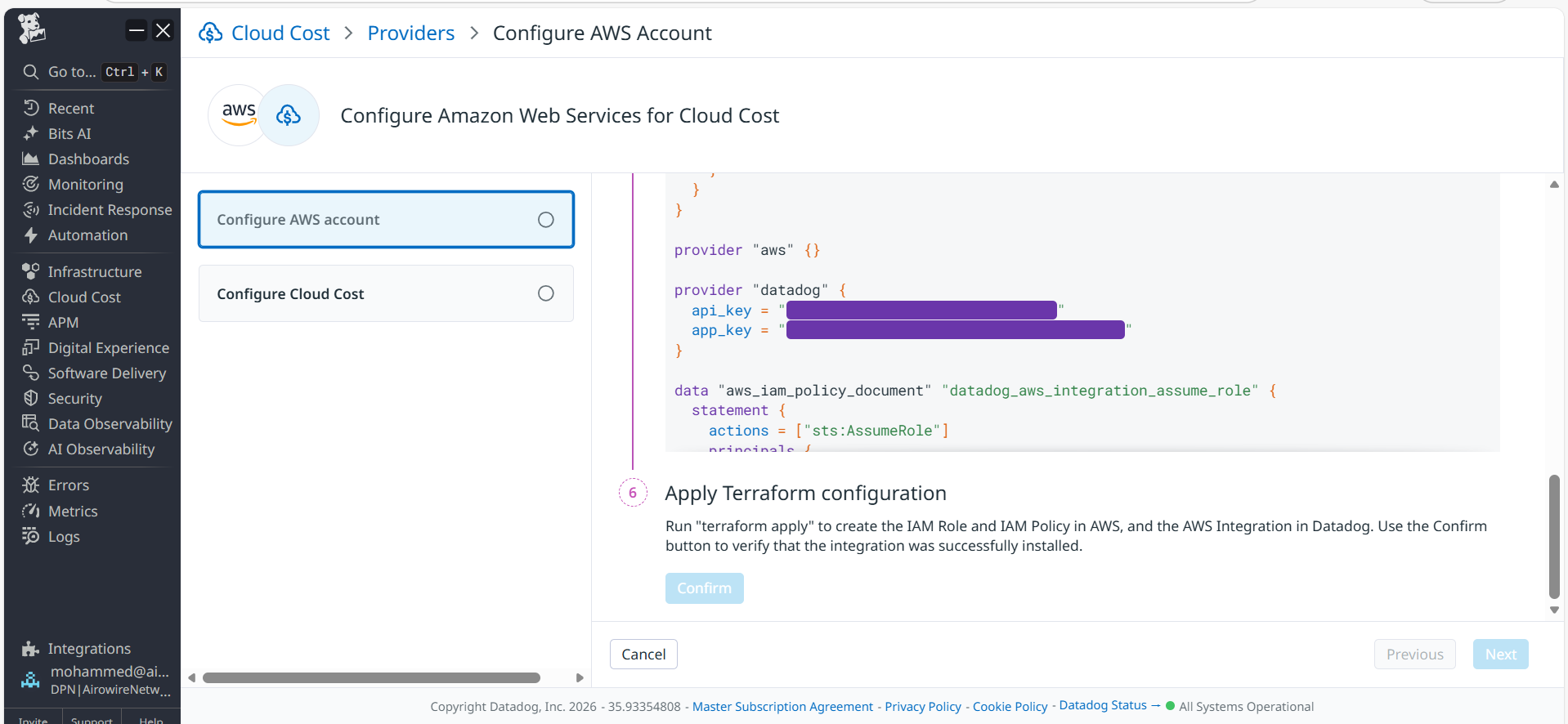
- Generate API & Application Keys
- Copy generated Terraform HCL
- Do NOT click Confirm yet
Step 2 — Run Terraform (AWS Side)
AWS Admin executes the Terraform code provided by Datadog.
Terraform provisions:
- DatadogIntegrationRole
- Read-only IAM policies
- Trust relationship with Datadog
Step 3 — Confirm AWS Integration
After Terraform completes:
- Return to Datadog AWS integration page
- Click Confirm
- Integration status becomes Installed
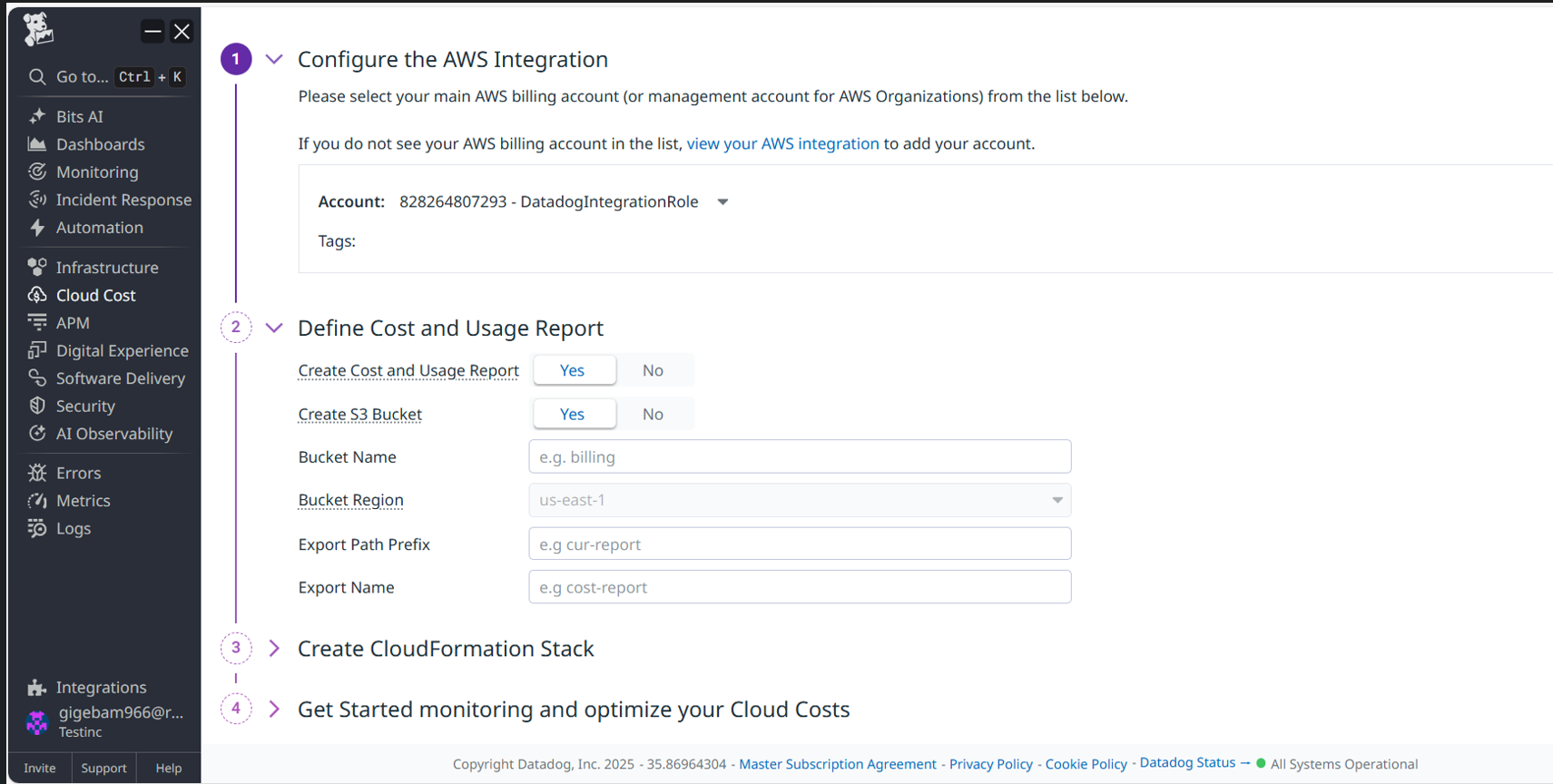
Step 4 — Enable Cloud Cost Management
Navigate:
Datadog → Cloud Cost → Settings
Begin AWS Cost & Usage Report (CUR) setup.
Step 5 — Create Cost & Usage Report (CUR)
AWS Admin deploys CloudFormation stack using the Datadog CCM template.
This provisions:
- New CUR with CREATE_NEW_REPORT versioning
- S3 bucket for billing data
- Required IAM permissions
Step 6 — Validate CUR in Datadog
In Datadog Cloud Cost Settings:
- Click Retry Validation
- Validate:
- S3 access
- CUR configuration
Both validations must succeed.
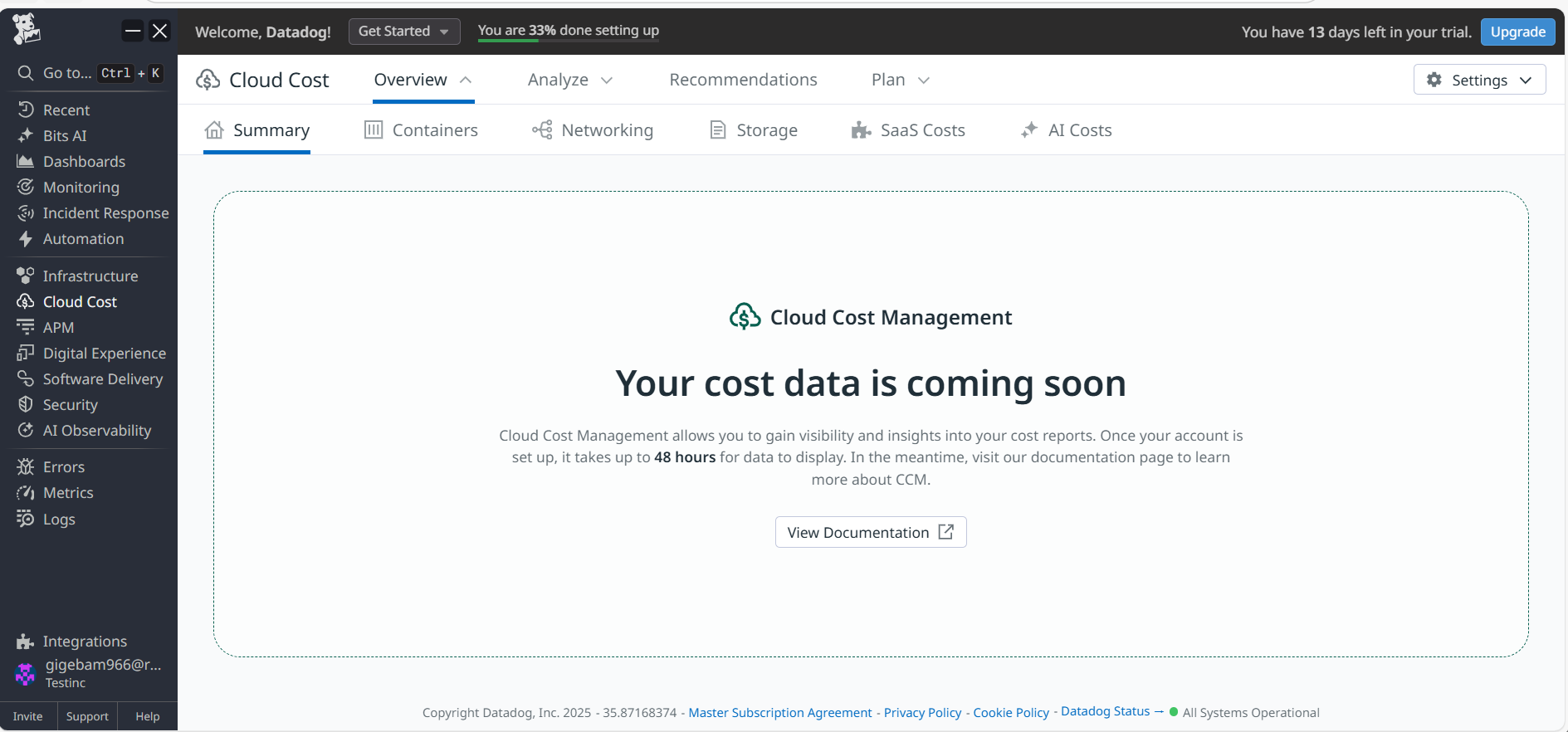
Step 7 — Wait for Cost Data
- AWS generates CUR files daily
- Datadog processes CUR data
- Cost data appears within 24–48 hours
Datadog-Side Validation
Validate the following in Datadog:
- Cloud Cost Overview populated
- AWS services visible
- Account-level spend trends
- Cost breakdown by service and account
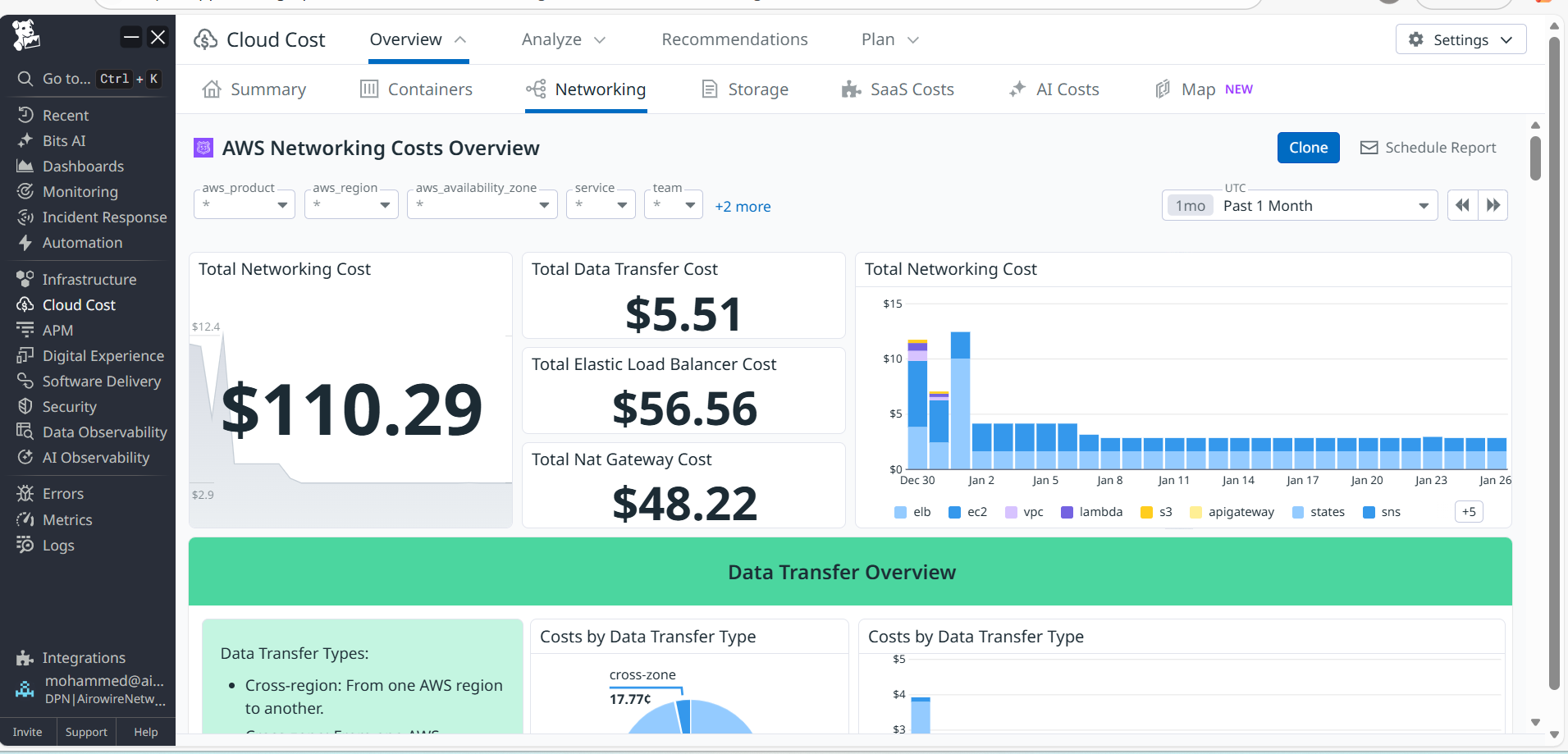
Observations & Findings
Key operational findings:
- Secure AWS billing ingestion via CUR
- No impact on production workloads
- Accurate cost attribution at scale
- Suitable for enterprise FinOps adoption
Optional Future Enhancements
Recommended enhancements:
- Cost allocation by tags
- Budget and anomaly alerts
- Chargeback / showback models
- Multi-account cost rollups
- Forecast-based optimization
Final Outcome
AWS Cloud Cost Management successfully integrated into Datadog, providing centralized cost visibility, analytics, and optimization insights across AWS services and accounts.
Contact
For more information about this Document and its contents please contact Airowire Solutions:
Patrick Schmidt — patrick@airowire.com
Piyush Choudhary — piyush@airowire.com
Dr. Shivanand Poojara — shivanand@airowire.com